Blur or redact a screenshot on Mac
macOS has no built-in way to blur out sensitive details. macshot does - draw over anything to blur, pixelate, fill, or erase it, and let it find personal info for you automatically.
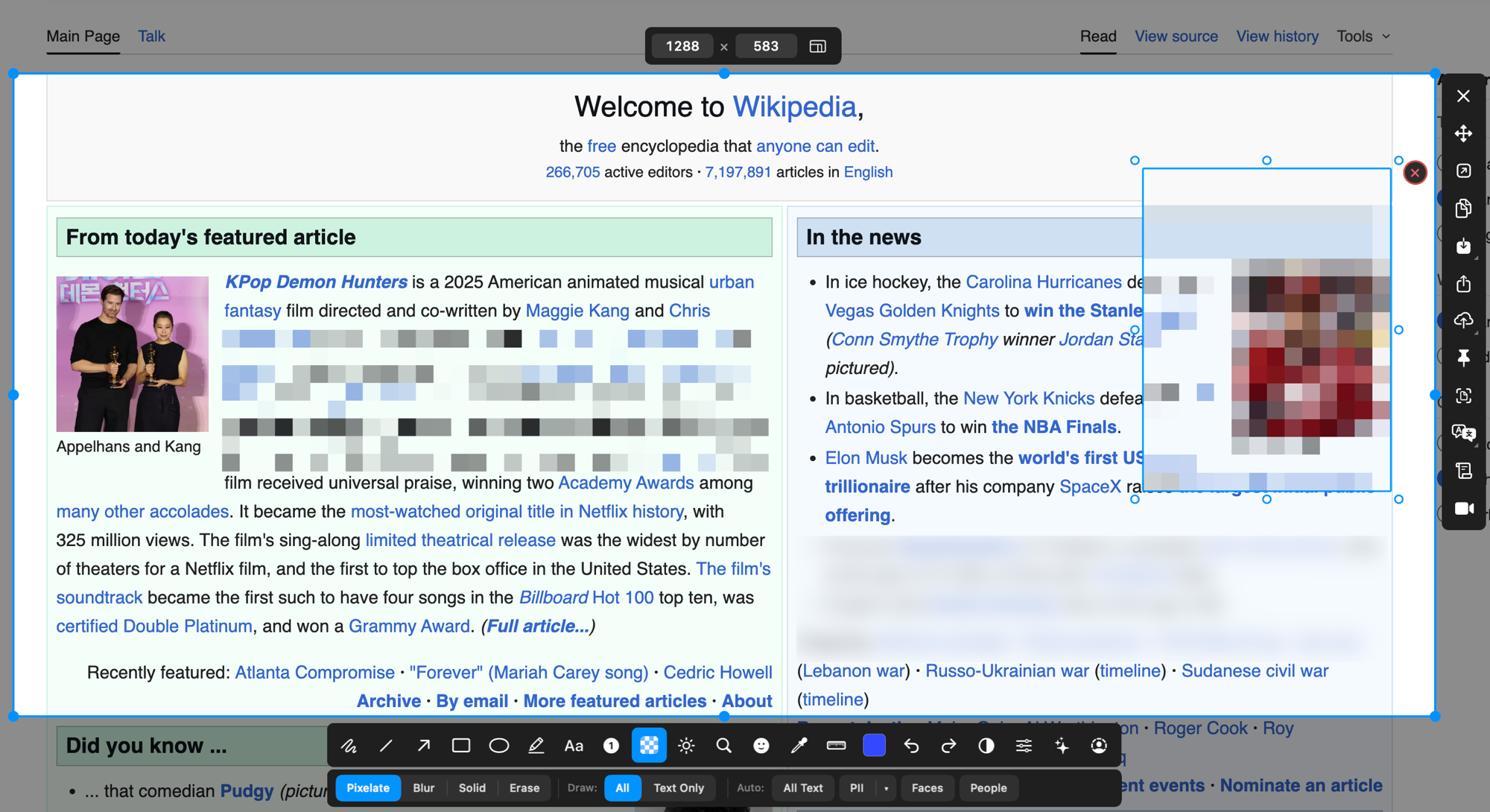
macOS has no built-in way to blur out sensitive details. macshot does - draw over anything to blur, pixelate, fill, or erase it, and let it find personal info for you automatically.
Select an area of your screenshot and pick the censor mode that fits:
Blur and pixelate look tidy, but a light blur can sometimes be reversed. For anything genuinely sensitive - passwords, tokens, account numbers - use solid fill or erase, which replace the pixels entirely so the original can't be recovered from the saved image.
Instead of hunting for things to hide, let macshot do it. It can scan a screenshot and redact common personal data in one step:
The detection runs locally on your Mac using Apple's Vision framework - nothing is uploaded.
macshot is a native Swift and AppKit app. It's free and open source under the GPLv3 license, with no subscription, account, or watermark. Blur a screenshot, then copy, save, or share it with a link.
macOS doesn't include a blur tool in its built-in screenshot or Markup features. macshot adds one - draw over any area to blur, pixelate, fill, or erase it before you share the image.
Light blur or pixelation can sometimes be reversed. For anything truly sensitive, use macshot's solid fill or content-aware erase, which replace the pixels entirely so the original content can't be recovered from the image.
Yes. macshot can scan a screenshot for emails, phone numbers, credit card numbers, social security numbers, and API keys and redact them in one step. It can also detect faces and people. The detection runs on your Mac.
Yes. macshot is free and open source under the GPLv3 license, with no subscription or account.