Scan a QR code from a screenshot on Mac
There's a QR code on your screen and your phone is across the room. macOS can't read it for you - macshot can. Capture the code and it decodes instantly, ready to open or copy.
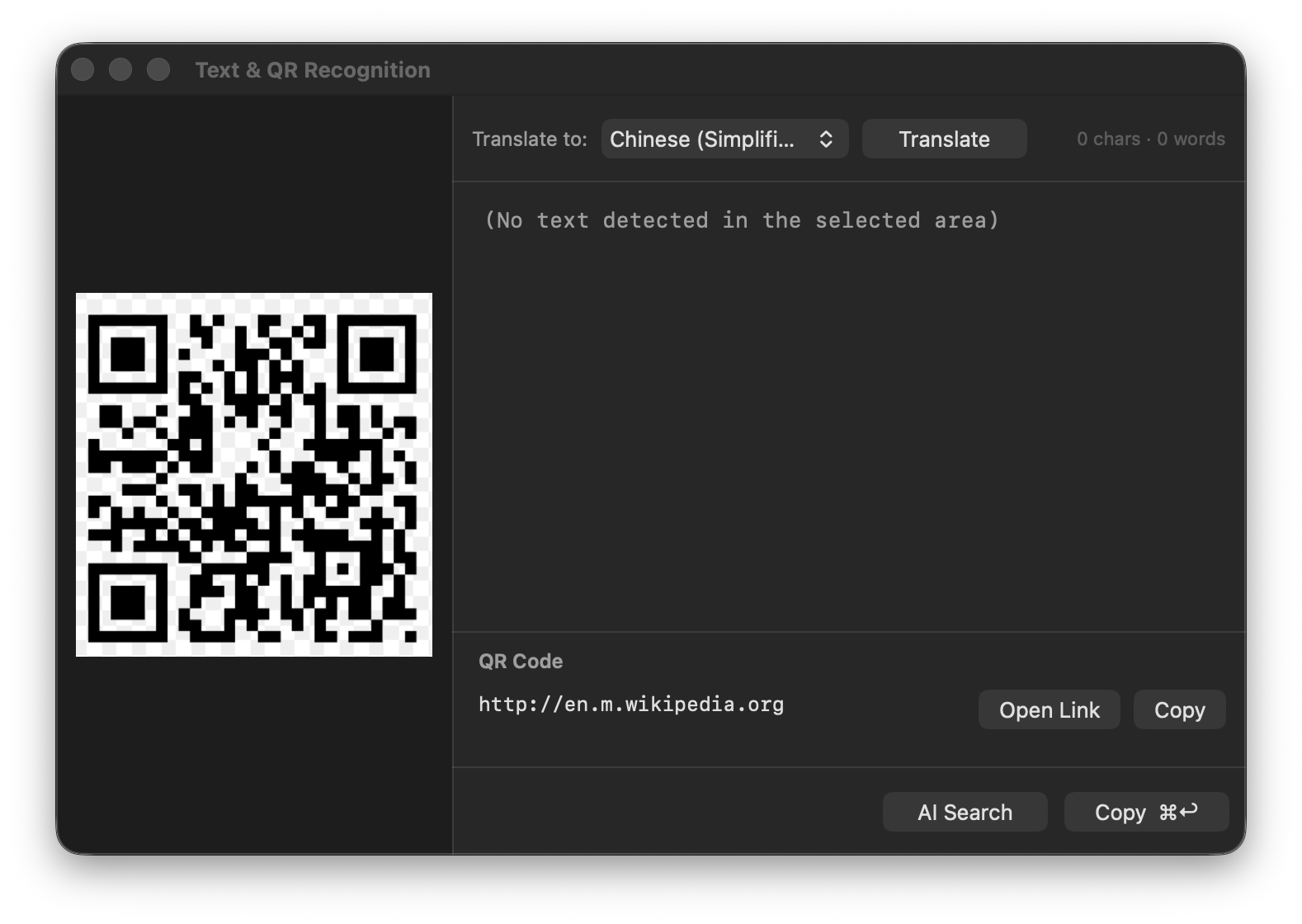
There's a QR code on your screen and your phone is across the room. macOS can't read it for you - macshot can. Capture the code and it decodes instantly, ready to open or copy.
iPhones read QR codes straight from the Camera app, but macOS has no equivalent for codes that appear on the screen - in a browser, a PDF, a Slack message, or a video call. The built-in screenshot and Markup tools capture the pixels but never decode them. So the usual workaround is to grab your phone and point it at the monitor.
macshot detects QR codes and barcodes the moment you capture them:
It's not just QR codes. macshot recognises standard barcodes as well, decodes the value, and lets you copy it - handy for product codes, tickets, and shipping labels shown on screen.
Detection uses Apple's Vision framework locally. The screenshot and whatever the code contains never leave your machine - nothing is uploaded to a scanning service.
macshot is a native Swift and AppKit app. It's free and open source under the GPLv3 license, with no subscription, account, or watermark - and reading a QR code from your screen is just one of the things it does.
macOS has no built-in QR scanner for the screen. macshot fills the gap - capture the area with the QR code and macshot decodes it automatically, then lets you open the link or copy its contents. No phone needed.
Not on its own. The built-in screenshot and Markup tools don't decode QR codes or barcodes. macshot uses Apple's Vision framework on your Mac to read them out of any capture.
Yes. macshot detects QR codes and standard barcodes, shows the decoded payload, and lets you open or copy it.
Yes. macshot is free and open source under the GPLv3 license, with no subscription or account.