Upload screenshots to S3 on Mac
Capture, then send straight to your own bucket - Amazon S3, Cloudflare R2, Backblaze B2, or any S3-compatible storage - and get a shareable link on your clipboard. Your images, your storage, no middleman.
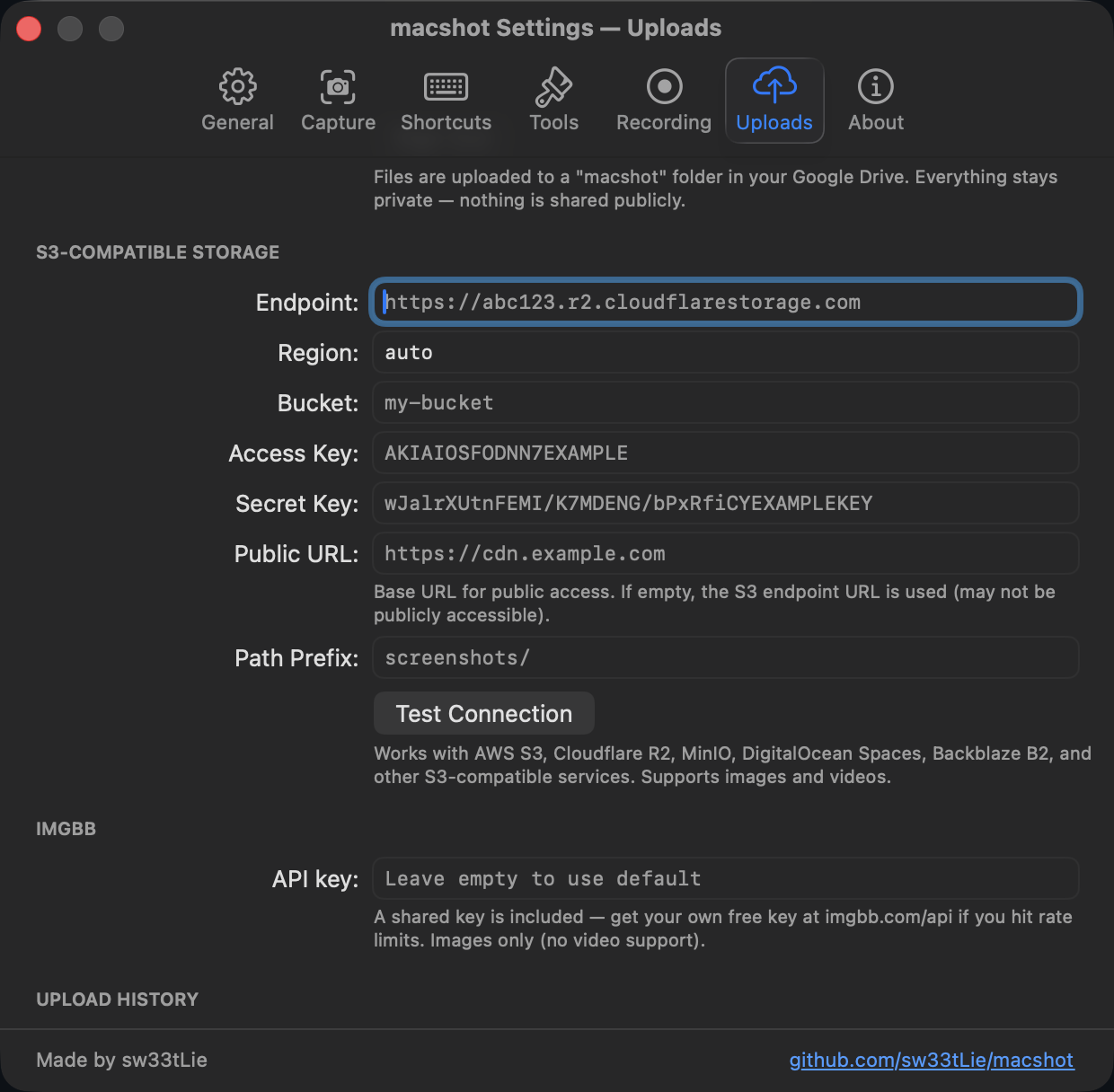
Capture, then send straight to your own bucket - Amazon S3, Cloudflare R2, Backblaze B2, or any S3-compatible storage - and get a shareable link on your clipboard. Your images, your storage, no middleman.
Most screenshot tools that offer instant links upload to their servers - behind an account, a subscription, and someone else's retention policy. macshot does the opposite: it uploads directly to a bucket you own, so you control where the files live, how long they stay, and who can reach them.
It speaks the standard S3 API, so the same flow works across providers - just change the endpoint:
There's no macshot account and no macshot server in the path. Your screenshot goes from your Mac to your bucket and nowhere else. Prefer Google Drive instead? macshot can upload there too.
macshot is a native Swift and AppKit app, free and open source under the GPLv3 license. The only cost is whatever your storage provider charges - often nothing for personal use on R2 or B2.
macshot can upload a capture directly to your own S3 bucket. Add your endpoint, bucket, and access keys once, then every screenshot can be sent to S3 and the resulting link copied to your clipboard automatically.
Yes. macshot uses the S3-compatible API, so it works with Amazon S3, Cloudflare R2, Backblaze B2, MinIO, Wasabi, DigitalOcean Spaces, and any other S3-compatible provider - just point it at the right endpoint.
In your own bucket. macshot uploads straight to the storage you configure - there's no macshot server in between, no account, and no third-party host holding your images.
Yes. macshot is free and open source under the GPLv3 license. You only pay your storage provider, if anything.