Edit a screen recording on Mac
A video editor built for screen recordings - trim the dead time, speed up slow parts, zoom in on detail, freeze a frame, and blur anything sensitive, then export as MP4 or GIF. No separate app, no subscription.
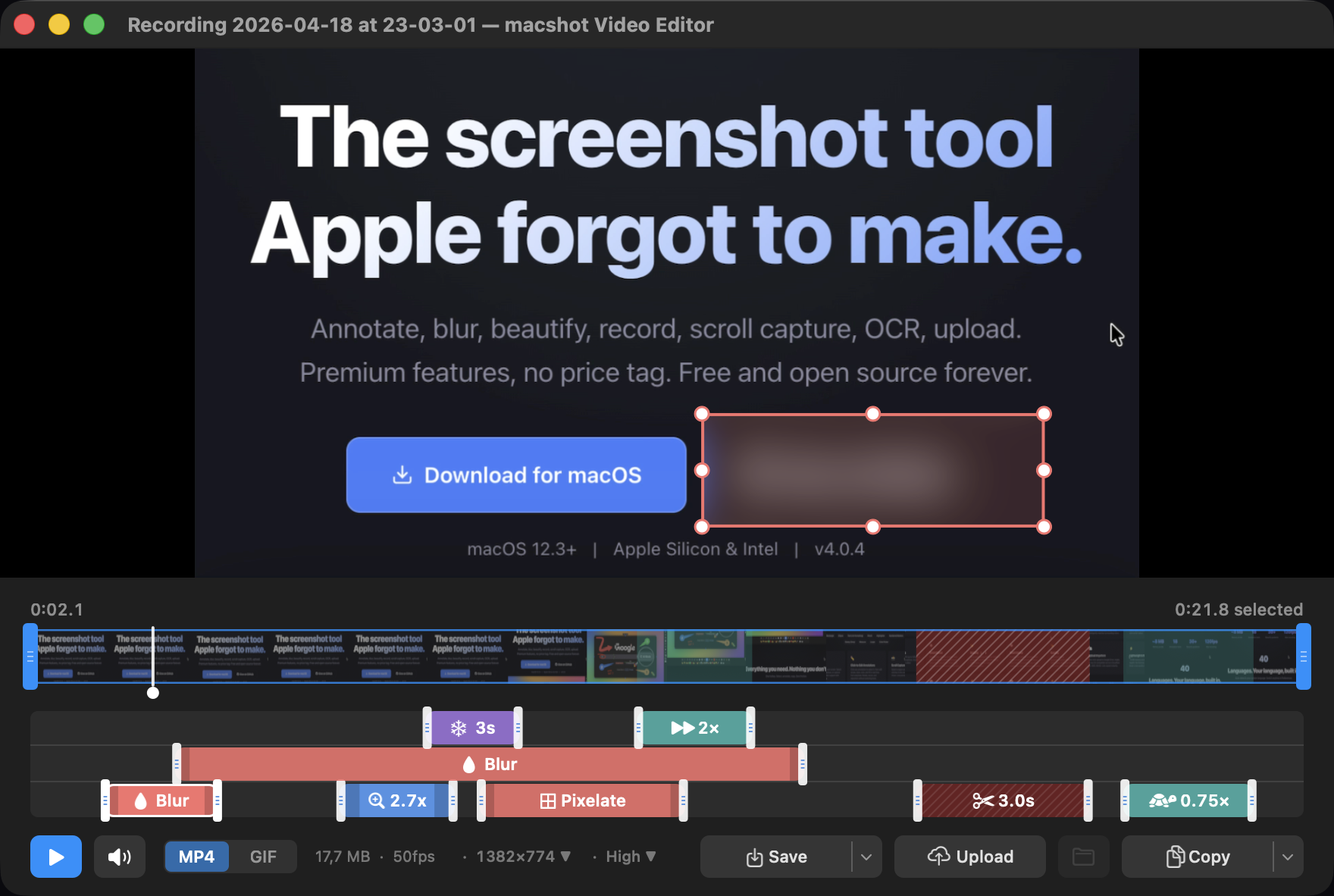
A video editor built for screen recordings - trim the dead time, speed up slow parts, zoom in on detail, freeze a frame, and blur anything sensitive, then export as MP4 or GIF. No separate app, no subscription.
iMovie and the like are built for film. macshot's editor is built for the clips you actually capture at a desk - product demos, bug repros, tutorials - with the handful of edits those need and nothing you don't.
When the clip is ready, export it as an MP4 for full quality or an animated GIF for chat, issues, and docs - then save it or upload it for a shareable link.
macshot is a native Swift and AppKit app - the editor opens right after you record, no round trip to another tool. It's free and open source under GPLv3, with no subscription, account, or watermark.
Yes. macshot has a built-in video editor made for screen recordings, so you can trim, cut, speed up, zoom in, freeze frames, and blur regions without opening a separate app.
Yes. You can add zoom segments that magnify part of the frame at the moments you choose - useful for drawing attention to small UI details in a demo.
Yes. The editor exports to MP4 or an animated GIF, so you can share the polished clip wherever it fits best.
Yes. macshot is free and open source under the GPLv3 license, with no subscription, account, or watermark.
Native, open source, and always will be.