Auto-redact a screenshot on Mac
Don't hunt for things to hide. macshot scans your screenshot, finds personal information on its own - emails, cards, keys, faces - and redacts it all in one step, right on your Mac.
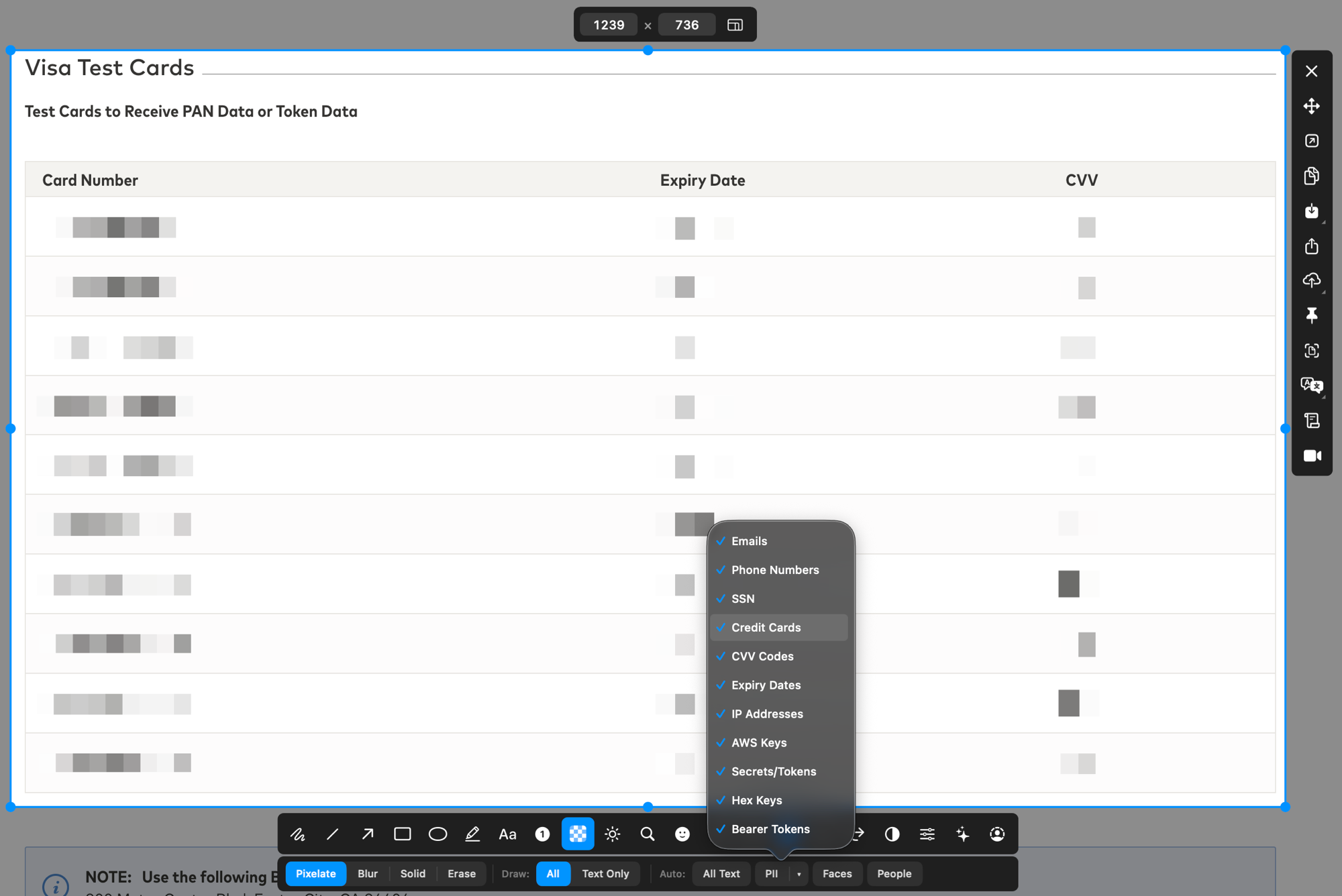
Don't hunt for things to hide. macshot scans your screenshot, finds personal information on its own - emails, cards, keys, faces - and redacts it all in one step, right on your Mac.
When you blur sensitive data by hand, it's easy to overlook an email in a sidebar, a token in a log line, or a phone number in a signature. macshot's auto-redact does the scanning for you so nothing slips through.
macshot reads the text in your screenshot with on-device OCR, then matches it against patterns for common sensitive data:
Everything it finds is redacted in a single action, and the whole batch can be undone together if it catches something it shouldn't.
Auto-redact lays a solid fill over each detected region, so the original pixels are replaced entirely. Unlike a light blur - which can sometimes be reversed - the sensitive content is genuinely gone from the saved image.
Detection runs locally using Apple's Vision framework. Your screenshot and the data in it are never uploaded to a server or third-party service.
macshot is a native Swift and AppKit app, free and open source under the GPLv3 license, with no subscription or account. Prefer to redact by hand? It also has manual blur, pixelate, fill and erase tools.
Not with built-in tools - you'd have to find and cover each item by hand. macshot can scan a screenshot, detect personal information automatically, and redact it all in one step.
macshot recognises emails, phone numbers, credit card numbers, social security numbers, IP addresses, AWS keys, and bearer tokens, plus faces and people in the image. It uses on-device OCR and pattern matching.
No. Auto-redaction replaces the detected regions with a solid fill, so the original pixels are gone from the saved image and can't be recovered.
No. Detection runs entirely on your Mac using Apple's Vision framework. Nothing is sent to a server.
Free, native, and open source.