Highlight mouse clicks in a screen recording on Mac
Tutorials are hard to follow when viewers can't tell where you clicked. macshot marks every click as you record, so each action is obvious - no editing pass required.
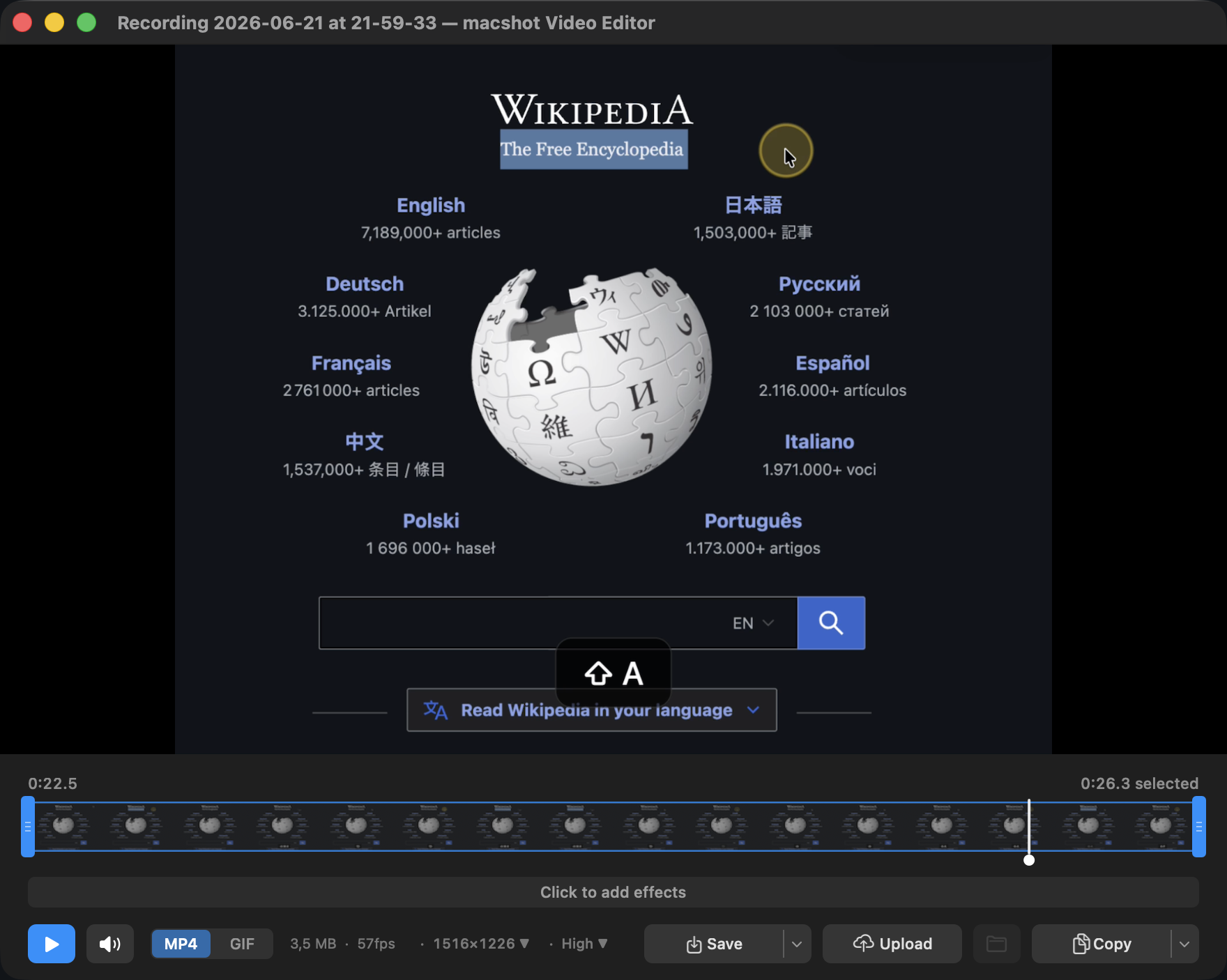
Tutorials are hard to follow when viewers can't tell where you clicked. macshot marks every click as you record, so each action is obvious - no editing pass required.
macOS screen recording captures your cursor moving around, but it never shows when you click. Viewers are left guessing whether you tapped a button or just hovered over it. macshot adds a visible click highlight so every interaction reads clearly.
macshot's screen recorder records MP4 or animated GIF at up to 120fps, captures system audio, and lets you annotate on screen while recording. When you're done, trim and export in the built-in video editor.
macshot is a native Swift and AppKit app, free and open source under the GPLv3 license, with no subscription, account, or watermark on your recordings.
macOS screen recording doesn't visualise clicks. macshot can highlight each click as you record, drawing a marker at the cursor so viewers can follow exactly what you're doing.
Yes. macshot records system audio with your video, and you can record as MP4 or animated GIF at up to 120fps.
Yes. macshot has an annotation mode during recording, so you can draw on screen as you go in addition to the click highlights.
Yes. macshot is free and open source under the GPLv3 license, with no subscription or account.